

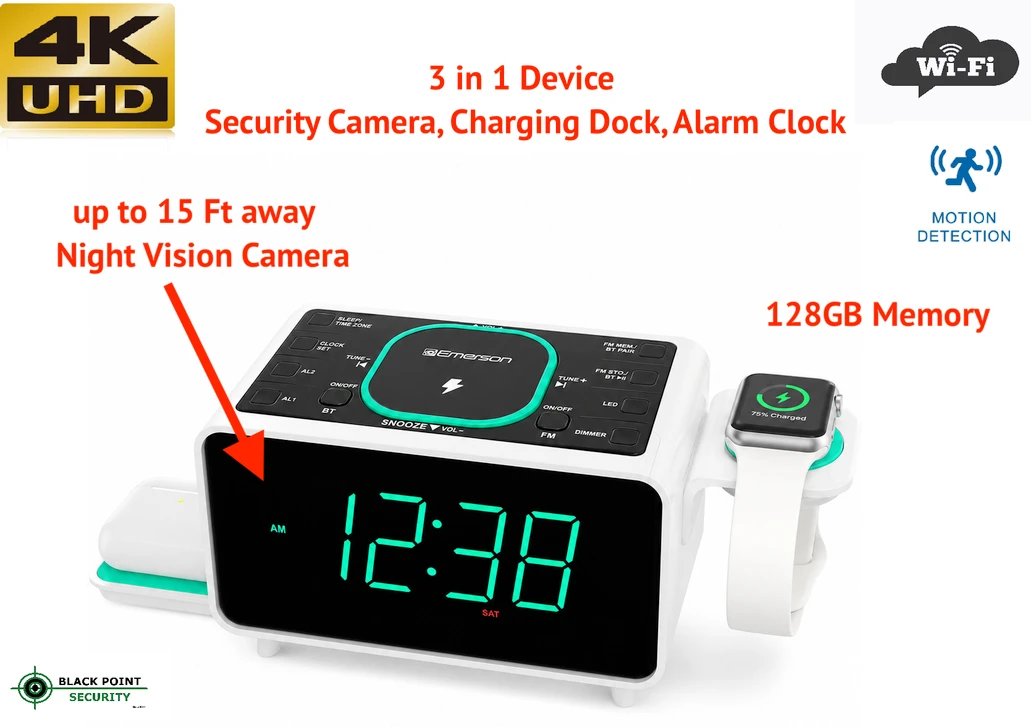
Home security doesn't always have to mean installing bulky cameras, running cables through walls, or filling your home with complicated equipment. Today, there are compact smart devices that combine everyday convenience with useful security features.
A WiFi security camera alarm clock is one example. By combining a bedside alarm clock, charging station, and WiFi-enabled camera in one compact device, it can add practical functionality to a bedroom, office, guest room, or other personal space.
For shoppers looking for a WiFi security camera with night vision, there are also models designed with different nighttime viewing technologies. Two new options worth considering are a standard night-vision model and a model featuring invisible night vision for a more discreet viewing experience.
What Is a WiFi Security Camera Alarm Clock?
A WiFi security camera alarm clock combines several useful functions into one device.
Instead of having a separate alarm clock, charging station, and security camera, a 3-in-1 design can bring these functions together in a single bedside device.
Depending on the model and its specifications, useful features can include:
- WiFi connectivity
- Camera monitoring
- Night vision
- Digital alarm clock
- USB or wireless charging
- Compact bedside design
- Remote viewing through a compatible app
- Motion detection or alerts, when supported
- Multiple charging functions
The result is a device designed to fit naturally into everyday life while providing an additional layer of awareness around your home.
Why Choose a 3-in-1 Charging Station Alarm Clock?
Modern bedrooms often have multiple devices competing for limited space. A phone may need charging overnight, an alarm clock sits on the nightstand, and a security camera may require another location entirely.
A 3-in-1 charging station alarm clock can simplify that setup.
Rather than dedicating space to several separate devices, you can combine everyday bedside functions into one compact product.
This can be especially useful for:
- Bedrooms
- Home offices
- Guest rooms
- Dorm rooms
- Apartments
- Workspaces
- Travel setups where compact equipment is useful
For many people, the biggest advantage is simply convenience: one device can serve several purposes.
WiFi Security Camera With Night Vision
Nighttime monitoring is an important consideration when choosing a home security camera.
A WiFi security camera with night vision is designed to provide visibility when the room or surrounding area becomes dark. This can be useful for monitoring a room during nighttime hours or checking an area remotely when lighting conditions are limited.
The exact nighttime performance depends on the camera's specifications, including its sensor, lens, infrared technology, image resolution, and viewing conditions.
If you're comparing security cameras, don't look only at the phrase "night vision." Check the actual specifications and consider factors such as image quality, viewing distance, app functionality, storage options, and connectivity.
Standard Night Vision vs. Invisible Night Vision
One of the biggest differences between the two models is the nighttime viewing technology.
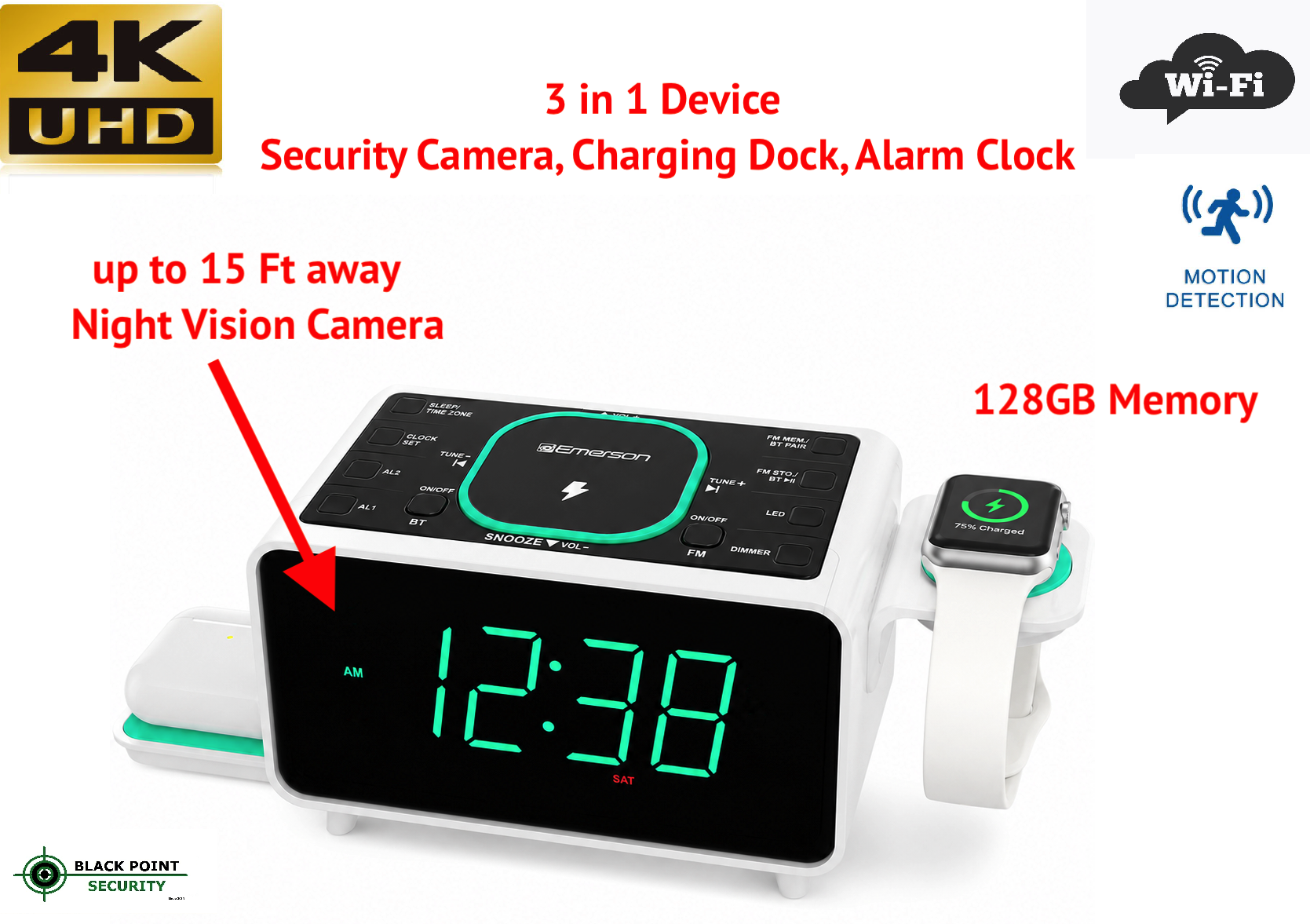
Model 1: WiFi Security Camera
The standard night-vision version is designed for users who want a combination of everyday alarm-clock functionality and camera monitoring.
It can be a practical choice for shoppers who want:
- WiFi camera connectivity
- A digital alarm clock
- A convenient charging station
- A compact bedside design
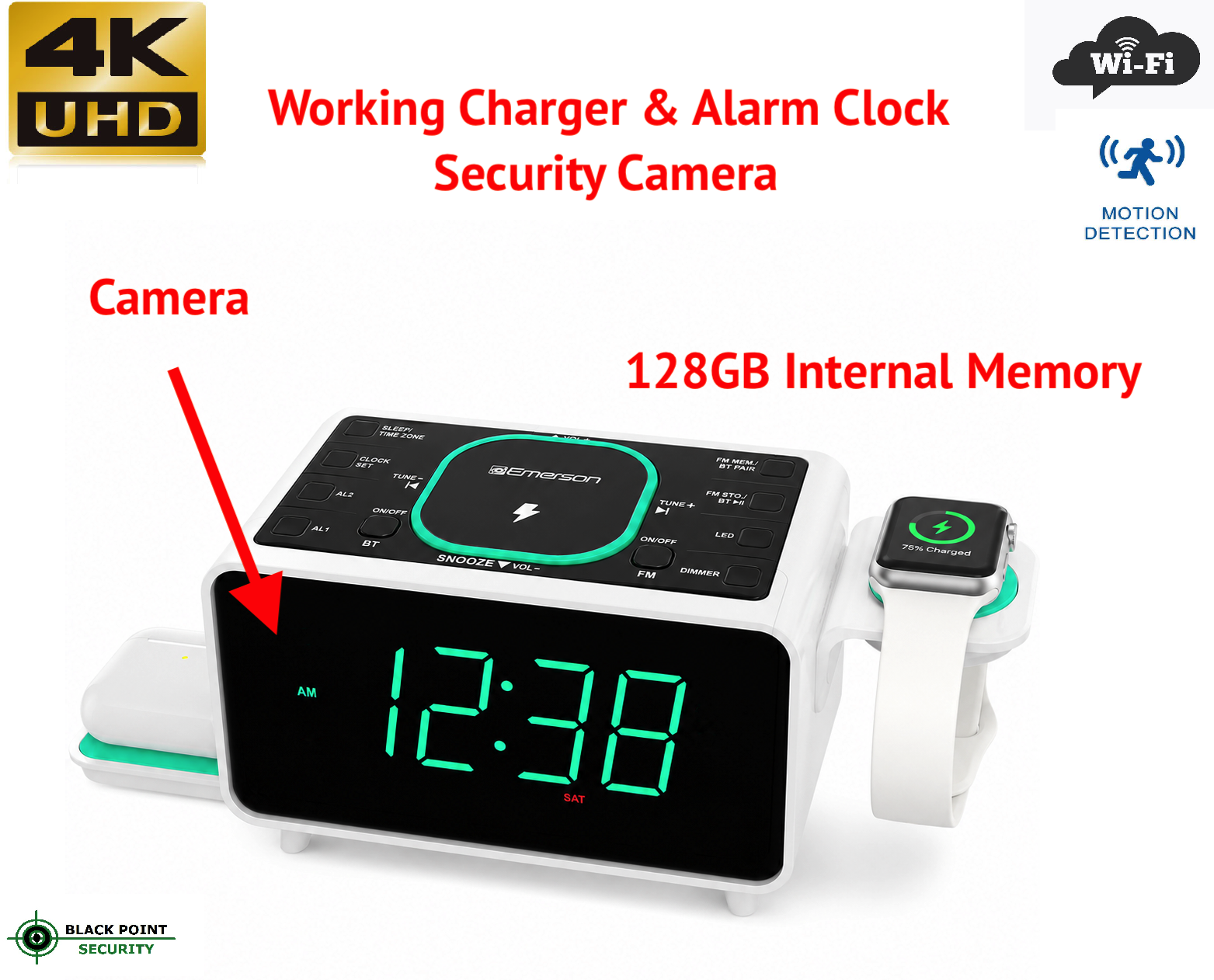
Model 2: WiFi Security Camera With Invisible Night Vision
The second model offers invisible night vision, making it an option for users who specifically want nighttime illumination that is less noticeable.
This can be appealing when you want the camera to maintain a more discreet appearance in a dark room.
As with any security product, however, the exact capabilities should be checked against the manufacturer's specifications. "Invisible night vision" can refer to different infrared technologies, so shoppers should look at the wavelength, illumination method, viewing range, and other technical specifications before purchasing.
Which WiFi Security Camera Alarm Clock Should You Choose?
The right choice depends on what matters most to you.
Choose the standard model if you primarily want a convenient 3-in-1 device with WiFi camera functionality.
Choose the invisible night-vision model if discreet nighttime illumination is a particularly important feature for your setup.
Both options can provide the convenience of combining a camera, alarm clock, and charging functionality in one compact device.
What to Look For in a WiFi Security Camera
Before buying a WiFi security camera alarm clock, consider several important features.
1. Camera Resolution
Higher resolution can provide more image detail, but image quality also depends on the camera sensor, lens, lighting, compression, and software.
2. Night Vision
Check whether the camera uses standard or invisible infrared night vision and look at the manufacturer's stated nighttime viewing range.
3. WiFi Connectivity
A WiFi camera needs a reliable connection to communicate with the compatible app or network. Check whether the device supports your home's WiFi frequency and review the setup requirements before purchasing.
4. Mobile App
If remote viewing is supported, check what the accompanying app allows you to do. Depending on the product, features may include live viewing, alerts, playback, or other controls.
5. Charging Functions
A 3-in-1 charging station can be particularly useful beside a bed or desk. Check which devices it supports and whether cables or adapters are included.
6. Storage
Some cameras use local storage, cloud storage, or both. Always check the product specifications to understand how recordings are stored and whether additional subscriptions or storage cards are required.
7. Privacy and Security
Because a WiFi camera can potentially capture sensitive areas of your home, privacy should be a priority.
Use a strong, unique account password, keep the camera's software updated, secure your home WiFi network, and use the manufacturer's recommended security settings.
A Compact Security Solution for Modern Homes
The appeal of a WiFi security camera alarm clock is its combination of everyday usefulness and security functionality.
Instead of buying an alarm clock, charging station, and camera separately, a 3-in-1 design brings those functions together.
For shoppers who want traditional nighttime monitoring, the standard night-vision model offers a straightforward option.
For those who specifically prefer less noticeable nighttime illumination, the invisible night-vision model provides another option to consider.
Ultimately, the best choice depends on your room, your security needs, your preferred nighttime viewing technology, and the features you actually plan to use.
Frequently Asked Questions
What is a WiFi security camera alarm clock?
A WiFi security camera alarm clock combines an alarm clock and camera with other functions, such as device charging, in one compact product. Depending on the model, it may support remote viewing and nighttime monitoring.
Can a security camera alarm clock see at night?
A model equipped with night vision can provide visibility in low-light or dark conditions. The actual viewing distance and image quality depend on the camera's specifications and environment.
What is invisible night vision?
Invisible night vision generally refers to infrared illumination designed to be less noticeable to the human eye than some traditional infrared systems. The exact technology and performance vary by camera.
Is a 3-in-1 charging station useful for a bedroom?
Yes. A 3-in-1 charging station can reduce the number of separate devices needed on a nightstand or desk by combining charging and other functions in one device.
What should I consider when buying a WiFi camera for home?
Consider image quality, night vision, WiFi compatibility, mobile-app functionality, storage options, power requirements, privacy features, and the manufacturer's specifications.
Upgrade Your Nightstand With Smarter Technology
A modern bedside device can do more than wake you up in the morning.
With a 3-in-1 charging station alarm clock, WiFi connectivity, and nighttime camera capabilities, you can combine convenience and home monitoring in one compact setup.
Whether you prefer a standard WiFi security camera or a model with invisible night vision, choosing the right features can help you find a device that fits naturally into your home and daily routine.
Explore the two models and compare their features to find the option that best fits your needs.